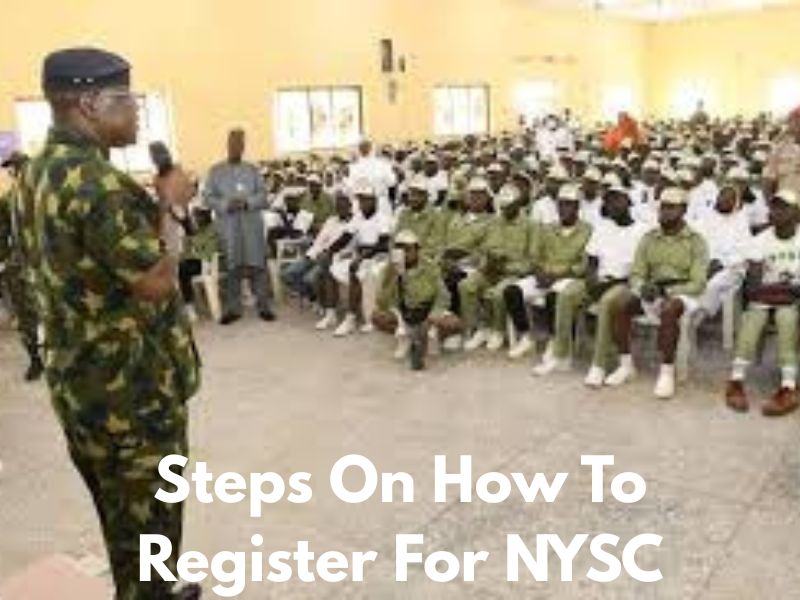
Looking for Steps On How To Register For NYSC? Registering for the National Youth Service Corps (NYSC) is a key milestone for Nigerian graduates, marking the transition from student life to a year of national service. At its core, the process boils down to verifying your eligibility as a graduate under 30, gathering documents like your certificate, JAMB letter, and NIN, creating an account on the official portal, filling out your details, undergoing biometric capture at an accredited cafe, making payment, and printing your call-up documents.
While it can feel overwhelming with all the paperwork and online steps, especially if you’re a first-timer, breaking it down makes it manageable. This article dives deep into each part, explaining why it’s needed and how to handle it smoothly, drawing from official guidelines to ensure you’re prepared for the 2025/2026 batches.
Understanding Eligibility: Who Qualifies and Who Doesn’t
Before jumping into the portal, you need to confirm you’re actually eligible—this step alone can save you hours of frustration. NYSC is mandatory for all Nigerians who have graduated with a Bachelor’s degree or Higher National Diploma (HND) from accredited universities or polytechnics, whether in Nigeria or abroad. The age cutoff is strict: You must be under 30 years old at the time of graduation. If you’re 30 or older, you’ll qualify for an exemption certificate instead of full service.
For local graduates, your name has to appear on the Senate or Academic Board-approved result list uploaded by your institution to NYSC; without this, the portal won’t recognize you. You can check this yourself on the NYSC site by entering your matriculation number and date of birth.
Foreign-trained graduates have extra hoops: Your program must be equivalent to a full-time course in Nigeria, and you’ll need an evaluation letter from the Federal Ministry of Education confirming accreditation. Part-time or distance learning graduates don’t do the full service—they register online just to print an exclusion letter, which proves they’ve been exempted. Special cases include married women, who can request posting to their husband’s state of residence, or those with serious health issues, who might get concessional deployment.
But be honest about your health status during registration; faking it can lead to problems later. If you’re in the military, paramilitary, or have national awards, mention them—they could influence your posting. Overall, eligibility ensures only qualified youth participate, promoting fairness and national integration.
Gathering Required Documents: What You Need and Why
Don’t start registration without these—missing one can halt the whole process. For everyone, a recent passport photograph is essential, but it’s captured live during biometrics, so no need to upload one manually. You’ll need your National Identification Number (NIN) for identity verification; it’s linked to everything now. Local graduates require their JAMB registration number (this pulls your admission details like date of birth and state of origin) and matriculation number from your school.
Your degree certificate or statement of result (signed and stamped by your institution) proves you’ve actually graduated. Add your O’Level results (WAEC/NECO with at least five credits, including English and Math), birth certificate or age declaration, and a medical certificate of fitness from a government hospital—this checks you’re healthy enough for camp activities.
Foreign graduates, prepare more: Your international passport (data page and visa stamps), original degree/HND certificate, academic transcript, and the evaluation letter from the Ministry of Education. If documents aren’t in English, get official translations. Married women seeking concessional posting need their marriage certificate, evidence of name change (like a newspaper publication), husband’s domicile proof (utility bill or letter from his employer), and his ID (driver’s license or national ID).
For health-based requests, a detailed medical report from a federal or state hospital is crucial. Why all this? NYSC uses these to verify your identity, academics, and any special needs, preventing fraud and ensuring accurate deployments. Scan everything clearly in PDF or JPEG format under 200KB each, and keep originals handy for camp verification.
Steps On How To Register For NYSC: Explained in Detail
This is where the action happens— the portal is your gateway, and it’s designed to be user-friendly but requires attention to detail. Start by waiting for the official announcement; registration opens in batches (A, B, C) with specific windows, like Batch C 2025 from November 4-9. Check the NYSC website or social media for timelines.
Step 1: Verify Your Details and Create an Account. Head to https://portal.nysc.org.ng/nysc1/. For locals, verify your name on the senate list at https://portal.nysc.org.ng/nysc2/VerifySenateLists.aspx using your matric number and DOB—if it’s not there, contact your school’s student affairs office immediately. Click “Mobilization” and select “Fresh Registration” (or “Revalidation” if you’ve registered before but didn’t attend camp). Enter a functional email (Gmail works best), a strong password, and a security question. Confirm via the activation link in your email. This step sets up your secure profile, pulling data from JAMB and your school to pre-fill forms.
Step 2: Log In and Enter Identification Details. Use your new credentials to access the dashboard. Input your NIN, JAMB number (for locals), school, and matric number. The system auto-fetches basics like name, DOB, and state of origin. If discrepancies appear, note them for later corrections. This verification prevents mismatches that could delay your call-up.
Step 3: Biometric and Image Capture. You can’t do this from home—visit an accredited cyber cafe (check the NYSC app or site for lists). They’ll scan your 10 fingerprints and take a live photo via webcam (plain white background, no accessories). It costs ₦500-₦1,500. This ties your physical identity to the registration, combating impersonation. Once done, your dashboard updates to “Thumbprinting Completed.”
Step 4: Fill Out Bio-Data and Other Forms. Dive into personal info: Title, gender, marital status, blood group, genotype, contacts, next of kin, education history (from primary to tertiary), languages spoken, states visited, and kit sizes (shirt, trouser, shoes for camp uniforms). Be precise—errors here affect your posting and allowances. For specials like marital concessions, upload documents now.
Step 5: Upload Documents and Signature. Scan and upload all required files as prompted. Add a digital signature (sign on white paper and scan). Review everything—most fields lock after submission.
Step 6: Make Payment. Click “Payment” on the dashboard. Pay around ₦3,000-₦4,000 via Remita (card, bank transfer, or at a bank). This covers your call-up letter printing. Check payment status on the portal. Revalidators might skip if paid before.
Step 7: Submit and Print Initial Documents. Agree to terms, submit, and print your Green Card (with call-up number). This confirms successful registration.
The whole process takes 30-60 minutes if prepared, but plan for cafe queues. It’s online to streamline things, but accuracy is key to avoid demobilization.
Tips for a Smooth Registration: Avoiding Common Pitfalls
To make it easier, register early in the window to dodge server crashes. Use Chrome or Firefox for the portal, and try off-peak hours. Choose cafes with stable power and trained staff—avoid overchargers (benchmark ₦7,000-₦10,000 total). Never use proxies; do biometrics yourself. Double-check spellings and dates before submitting; post-submission corrections (like name or DOB) are possible via dashboard but may need school approval.
If your name’s missing from the senate list, fix it with your institution pronto. For foreign grads, ensure evaluations are done early. Secure your login details, and report issues via NYSC helplines. These tips come from common experiences, helping you sidestep delays that plague many PCMs.
What Happens After Registration: Next Steps and Expectations
Post-submission, monitor your dashboard for your call-up number (days to weeks later). Print the Green Card and call-up letter (in color, multiple copies) showing your deployment state and camp date. Get a medical fitness cert if not already. Pack for camp: Whites, essentials like bucket and mosquito net. At camp (three weeks), undergo physical verification—bring originals. After, get your primary assignment posting. If issues arise, apply for relocation within months via dashboard. Part-timers print exclusion letters; exempted collect certificates from schools or HQ.
Conclusion: Steps On How To Register For NYSC
Completing NYSC registration is more than a bureaucratic hurdle; it’s your entry into a year that fosters personal growth, cultural exchange, and professional skills. By meticulously following the eligibility checks, document prep, and portal steps outlined here, you’ll minimize stress and set a strong foundation for service. Remember, the key is preparation—gather everything early, verify details, and stay updated via official channels to handle any batch-specific tweaks.
Reflecting on the process, many corps members find the initial registration challenges pale against the enriching experiences ahead, from camp drills to community projects. It’s a rite that builds resilience and networks, often leading to job opportunities or lifelong friendships. If you’re feeling anxious, know that support is available through NYSC apps, helplines, and alumni groups—lean on them.
Ultimately, NYSC embodies Nigeria’s vision of unity in diversity, and your successful registration contributes to that. Embrace the journey with an open mind, volunteer beyond requirements, and use the year to explore new horizons. You’ve navigated the steps; now, step into service with confidence—good luck, future corper!